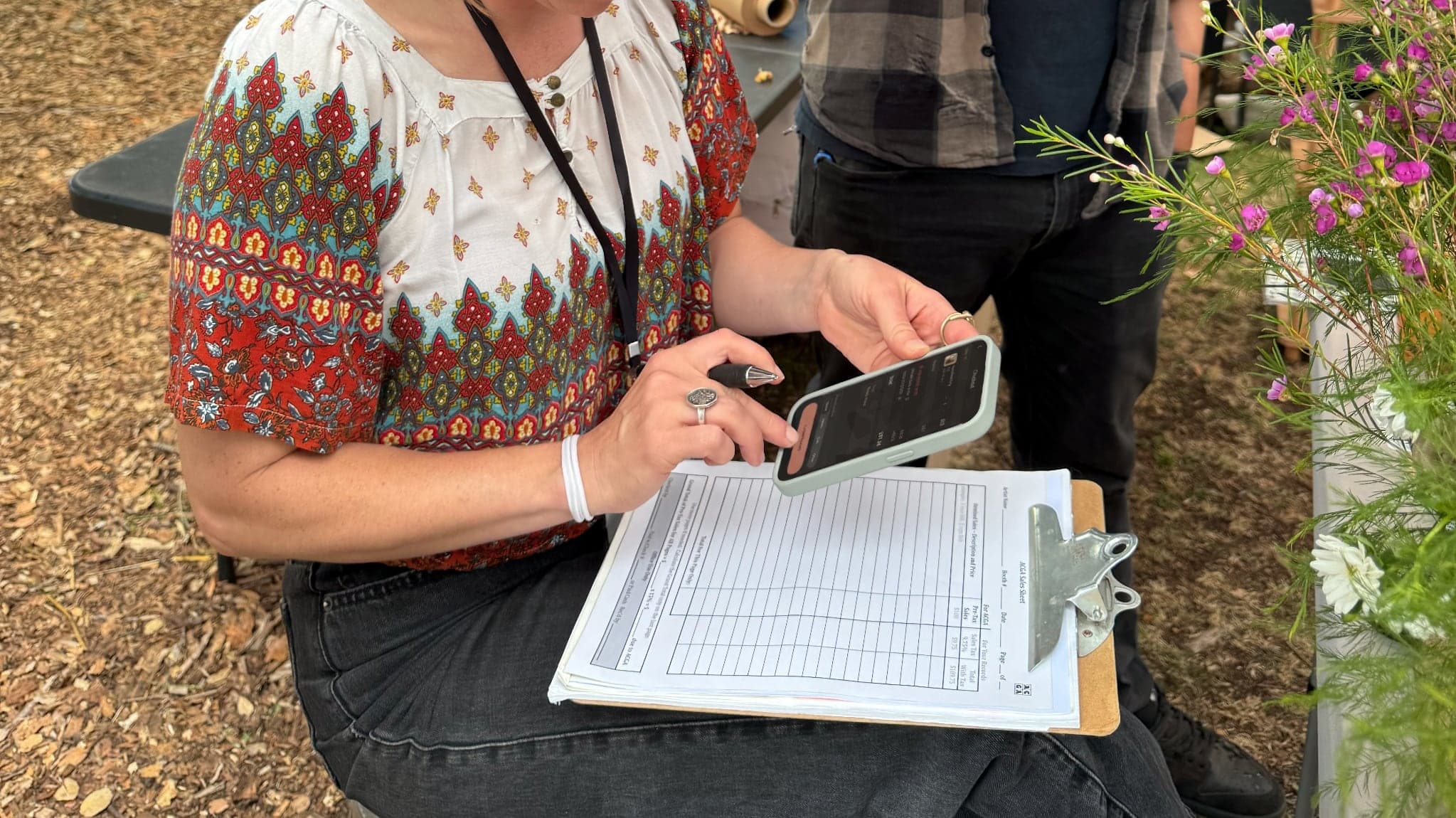
Getting Sales Right at the Booth
Aug 19, 2026 · 5 min readFor years, selling at fairs and art shows meant a Square reader, a Venmo QR code taped to the table, and a fanny pack with hopefully enough change in it. This is most makers’ setup, and it works… until you’re left wondering: What actually sold? How much did I make? What should I make more of? Were my prices right?
We ran that setup at Renegade Craft, West Coast Craft, ACGA Clay & Glass Festival, and other shows around the Bay Area for years. Enough to spot that the same problems kept showing up. So we started paying closer attention to which ones.
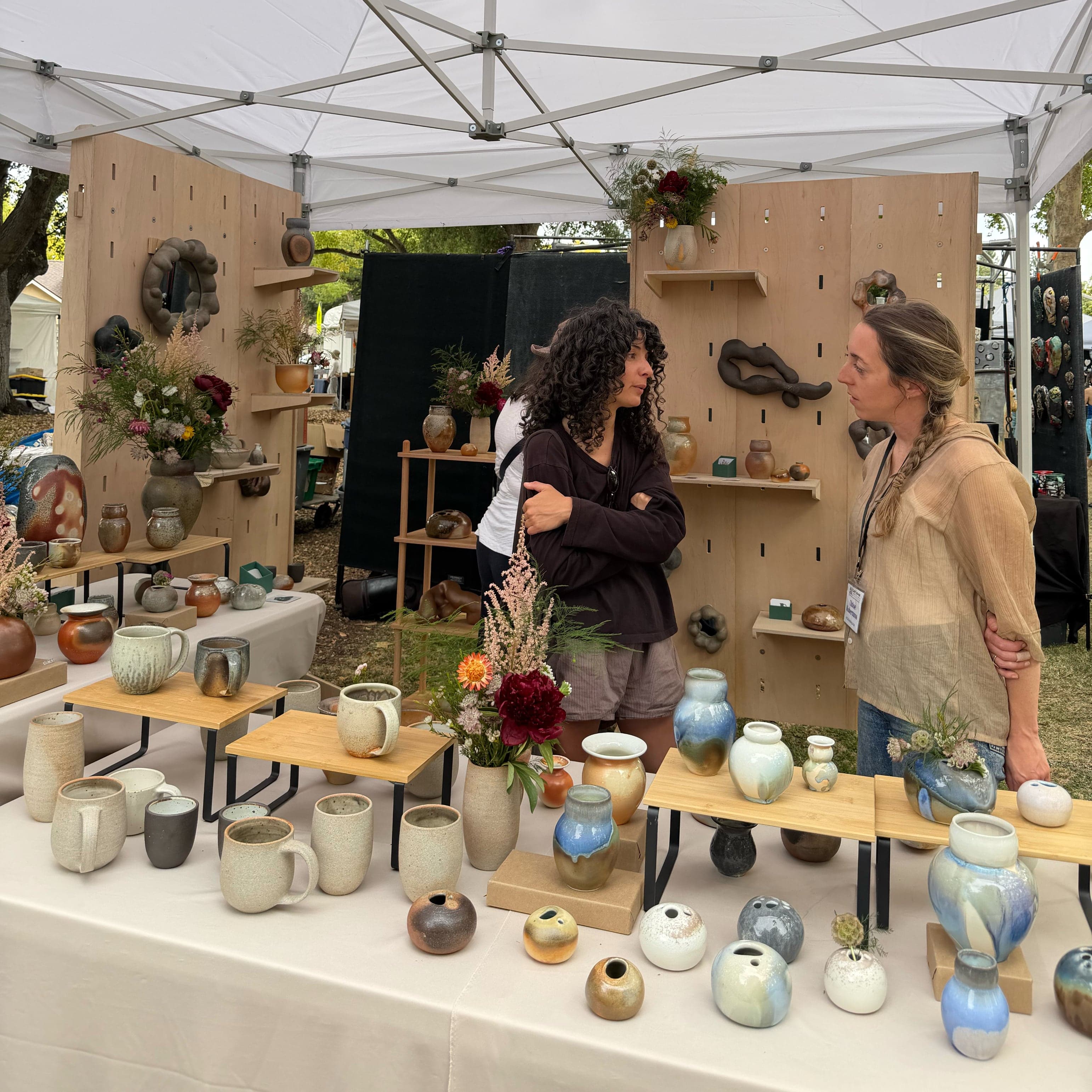 2026 ACGA Sales Booth
The friction we kept hitting
Pricing was the first snag. You spend real hours on a piece, and pricing it means putting a value on your own time, hard enough on its own, harder if you're not tracking those hours in the first place. Price it low and it stings later. Price it too high and it doesn't sell.
Part of the difficulty in pricing comes from not having a good read on the market. There's no set price for a handmade bowl, just a rough sense of what similar work goes for at other booths, and the customer's comparison to mass-market prices. So you're guessing. And guessing isn't a great strategy.
What helped wasn't a formula for the "right" price. It was knowing the floor. A rough cost estimate (clay, firing, the hours spent) tells you your margin, especially if you log it the moment you finish the piece, before the details blur. It won't tell you what to charge. But it means you have a starting point.
Knowing your margins is one thing, discounts were another. Someone buys two mugs and asks for a deal. Fair enough. But now you're doing percentage math out loud while three other people are waiting to check out.
Sales tax was an issue too. The card reader added it automatically. Venmo and cash didn't, so unless you did tax by hand, that revenue showed up untaxed and you'd find the gap later.
And even when the math was right, the record wasn't useful. A total tells you how much you made. It doesn't tell you which bowls moved, which glaze or finishes people kept picking up, or what to make more of before the next show. Three separate payment methods without a comprehensive view.
Marking pieces for sale, built into the workflow
The fix had to start before the show, and it had to be easy enough that we'd use it.
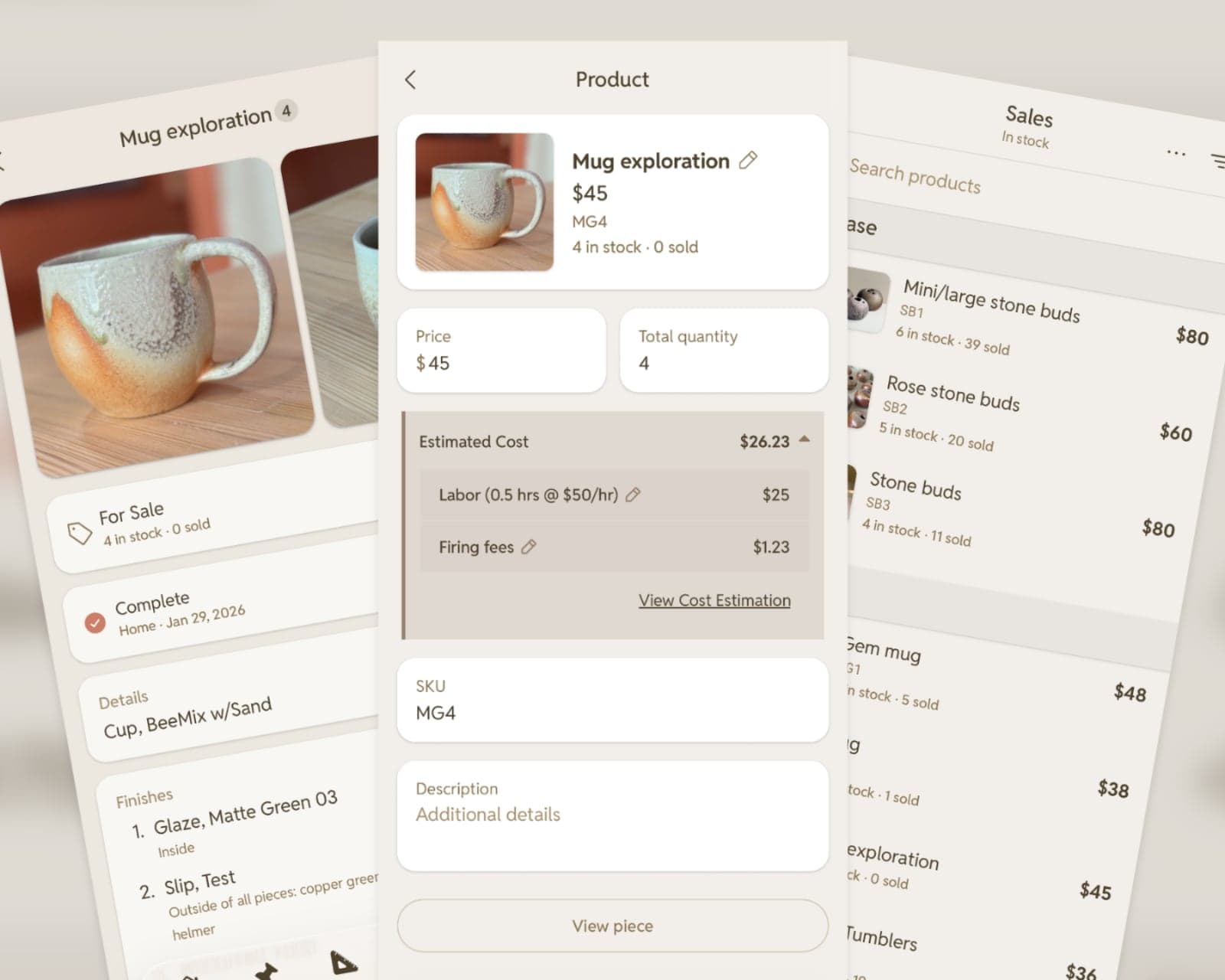 Add a piece for sale
Pieces already have their own pages in ClayMade. When you finish a piece, mark it for sale right there: set the price while the hours and the firing are still fresh, fill in a few more desired details, and they're ready to sell whenever you are.
Not everyone preps early, and if show prep tends to land the night before instead (no judgment), that's a different problem: getting dozens of pieces marked for sale at once. Bulk add solves that, every finished piece on one screen, selected by groups instead of one at a time.
SKUs, for when six mugs look the same
Glaze chemistry can shift. Firings vary. By the second day of a show, you've got six wood-fired mugs that look nearly identical, and a customer pointing at the one they think they saw an hour ago.
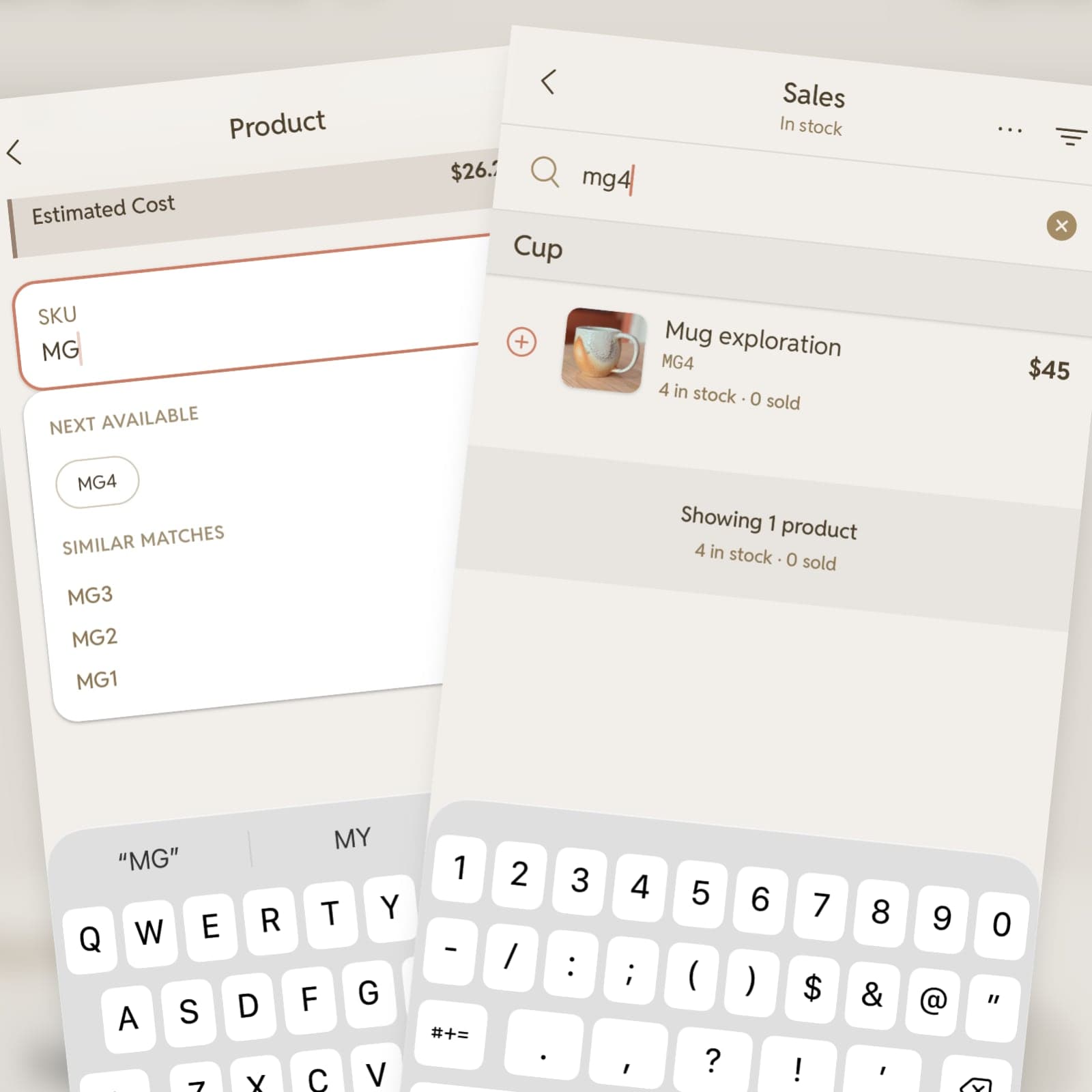 Search by SKU
That’s what the SKU is for. Include it on each piece’s price sticker, then look it up at checkout to make sure you’re ringing up the exact piece in front of you.
Paying the way people already do
We thought hard about whether to build in-app payments, and decided not to. ClayMade hands off payment to Square and Venmo instead.
Collect payment with Square, Venmo, and cash
Buyers already trust those payment platforms, which allows ClayMade to be more flexible and focus on tracking sales, pieces, pricing, and inventory.
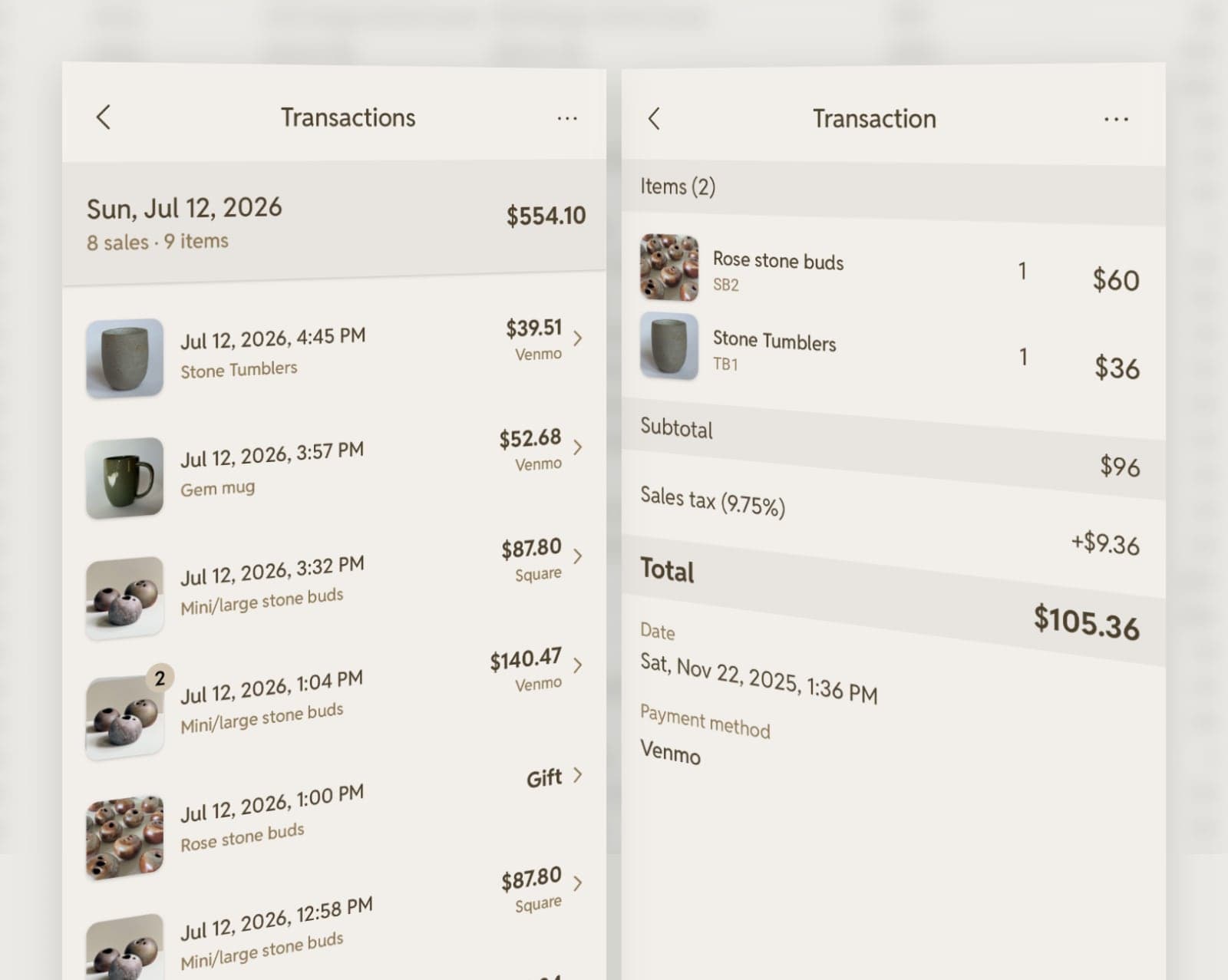 Review sales transactions
What the booth taught us
Getting the numbers right didn't solve everything. Checkout had to be simple and clear, nothing to slow you down in a busy environment.
- Checkout dropped from a multi-step flow to one screen
- Math shown inline instead of in your head
- Sales tax applies automatically but can be removed at checkout if needed
- Discounts or gifts can be set per piece or across the whole sale
- Bigger buttons since you're often doing this one-handed while talking with the other
After the last customer
The drive home used to end wondering about what to make next. Now there's clear and valuable information to pull from: which forms sold, which glazes people kept coming back to, which pieces sat untouched at three shows in a row.
That same information doubles as an exportable line sheet: images, prices, sizes, inventory, ready to help with the next step of sharing work.
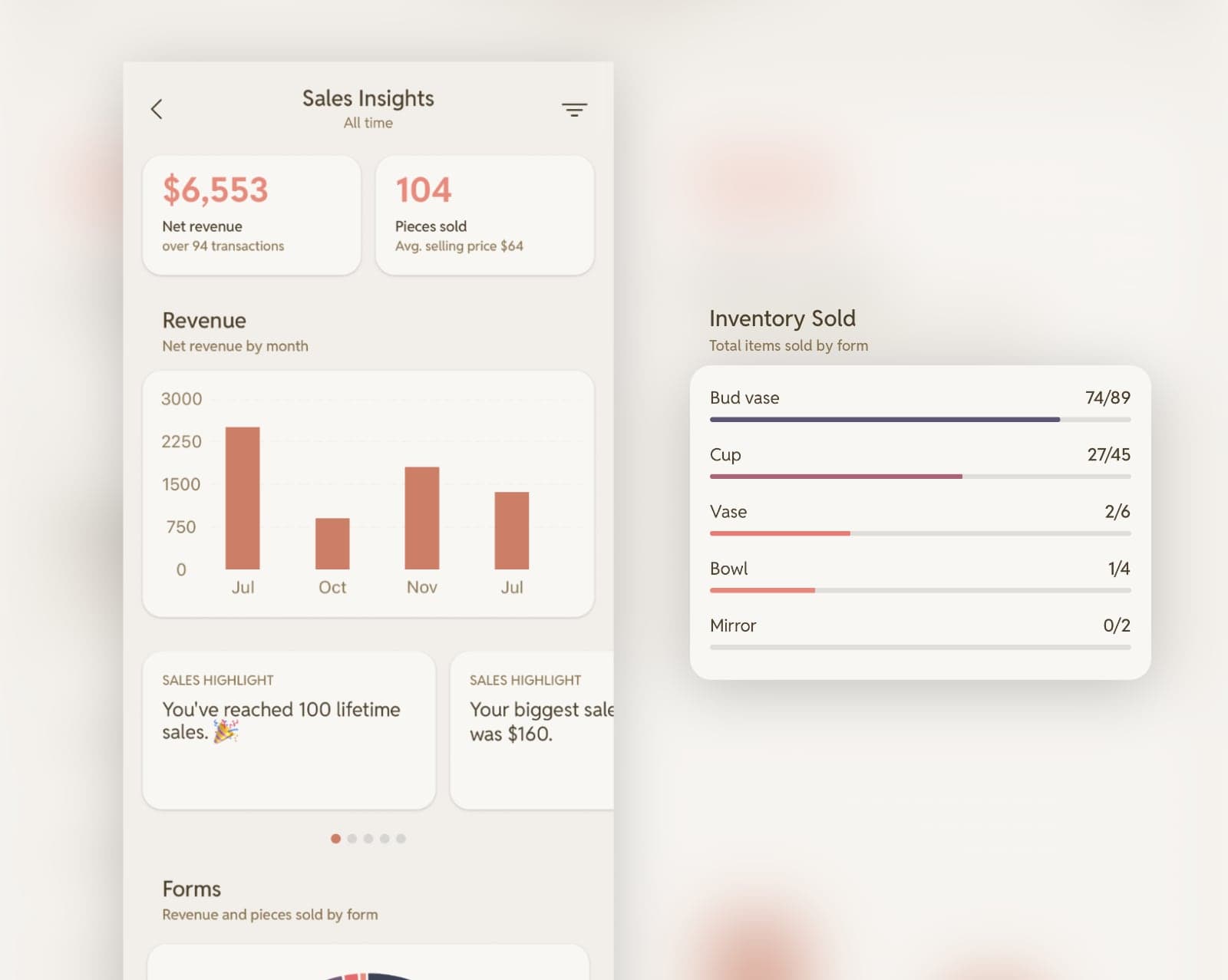 Review revenue and trends
Taking the booth online
A show ends, but the pieces that didn't sell need somewhere to live. We built product export, so the list you use at the booth can update your online store as well.
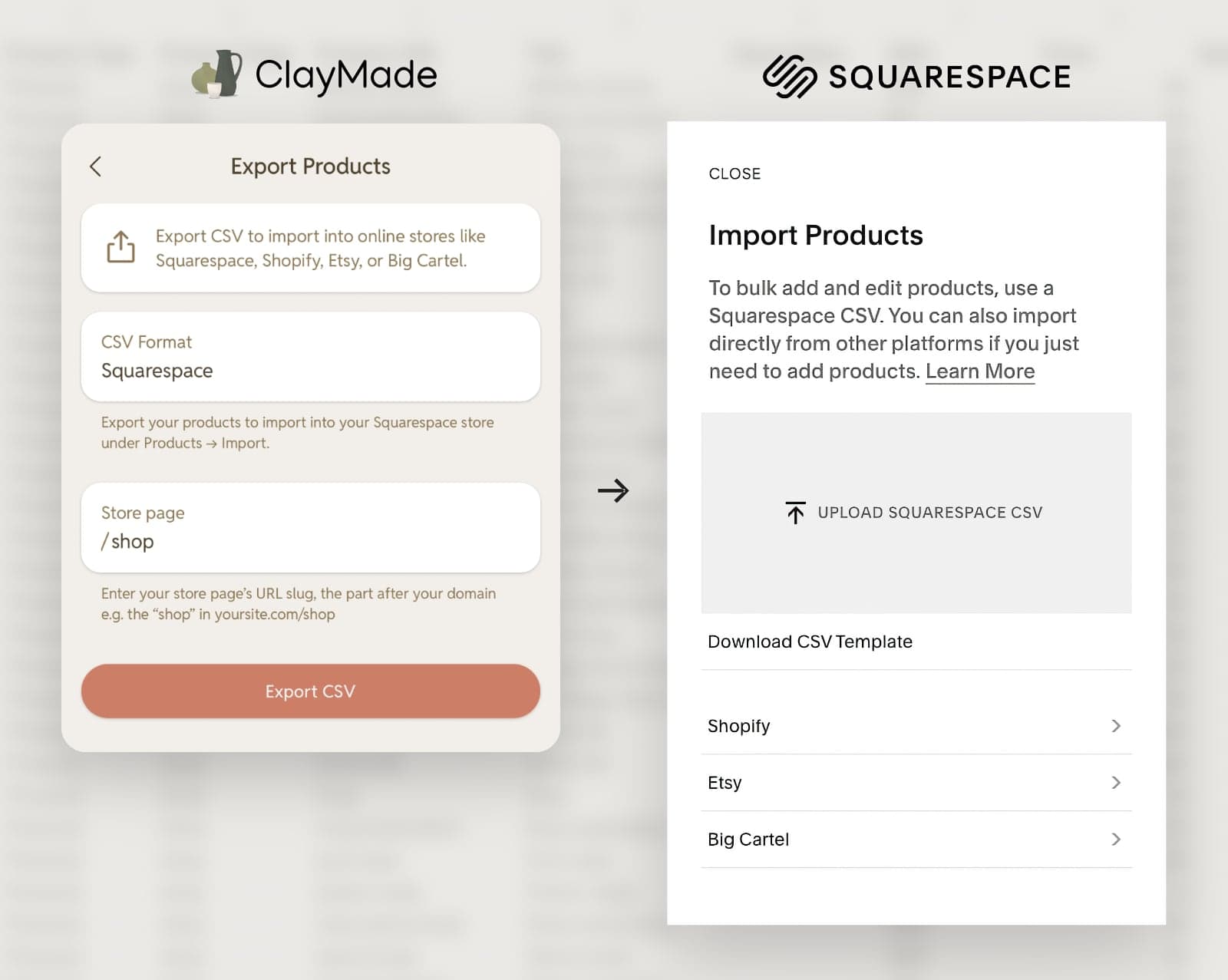 Export to Squarespace shops
It started with Squarespace. Export the pieces for sale as a CSV file, import it into Squarespace, and the listings show up with images, prices, and details you've already set. We've also added exports for Shopify, Etsy, and Big Cartel so you can import to whichever platform your store runs on.
We're still learning
ClayMade's sales feature started as our own fix for a problem we kept running into. It's grown into something bigger, thanks to every maker who's sat down and compared notes with us along the way. If you sell at markets, we want your story: what's working, what's not, and what can be improved.
Find us at the next show, let's keep building this together!
Share your thoughts or feedback
Take the stress out of your next show.
Try Sales with a 2-week free trial of ClayMade Pro and manage checkout, inventory, and payments alongside your maker workflow.